
Prototype Reviews, People With Disabilities, and You
Summary
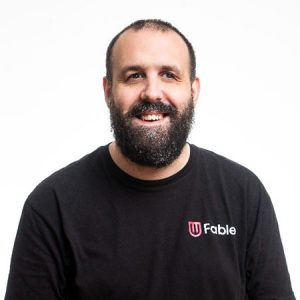
In this interactive session, Sam Proulx, accessibility evangelist at Fable, will draw from experience as a person with a disability, and from Fable’s thousands of hours of research experience, to answer all of your questions about conducting prototype reviews with people with disabilities. What design systems work best? What disabilities can participate in prototype reviews out of the box, and what types of disabilities might need special adaptations? What information should a prototype contain, to get the best feedback and engagement from people with disabilities? How can you, within the public sector, learn to better shift left, and involve people with disabilities as early as possible in the design process, and why should you? We’ll also have plenty of time for your own questions! If you’ve been wanting to conduct prototype reviews that involve people with disabilities, but weren’t quite sure where to begin, don’t miss this session!
Key Insights
-
•
Start accessibility testing with screen magnification users because they can interpret visual prototypes with minimal adaptation.
-
•
Involving users with physical challenges requires clear indications of hover states, control labels, click target sizes, and may require operating prototypes on their behalf.
-
•
Screen reader users cannot effectively use typical visual prototypes because they lack semantic markup; alternative prototyping using structured documents is necessary.
-
•
Accessibility testing should expand in a circle: from screen magnification to physical challenges, then to screen readers.
-
•
Addressing accessibility issues for one group often benefits other groups, creating a positive cascading effect.
-
•
Prototypes frequently lack critical information like semantic structure, focus states, keyboard navigation, and alt text needed by screen reader users.
-
•
Prototyping tools like Webflow support coding prototypes that better simulate real assistive technology environments but require technical expertise.
-
•
Considering platform differences (Windows, Mac, iOS, Android) is essential as assistive technologies behave differently across them.
-
•
Excessive white space can hinder usability for screen magnification users by forcing excessive scrolling.
-
•
Early involvement of people with disabilities in design avoids costly retrofits and leads to more effective accessibility solutions.
Notable Quotes
"The best way to build a fully accessible foundation is to involve the voices of people with disabilities at every step."
"Screen magnification users are low vision and interact visually with prototypes, so little adaptation is needed."
"For users with physical challenges, hover states can be very difficult, especially for eye, head tracking, or voice control users."
"Screen reader users require prototypes that contain semantic information like heading levels, control labels, and landmarks."
"You may need to operate the prototype on behalf of users whose assistive tech can’t click or interact with clickable prototypes."
"Fixing problems found for one disability group often helps fix problems for others too."
"When you magnify prototypes, they may look blurry, but that’s something to fix in the final website design."
"Webflow is an ideal tool for prototypes with code because users can test in the actual browser environment."
"Aim to work with at least one person on each platform your product supports, because assistive tech varies."
"You can create prototypes for screen reader users in Word, Excel, or Google Docs by simulating semantic markup."
Or choose a question:
















More Videos

"There are 8 billion creative humans on planet Earth, far beyond the number of trained designers."
Surya VankaUnleashing Swarm Creativity to Solve Enterprise Challenges
June 10, 2021

"Small specific interventions travel further than big programs within organizations."
Patrick Boehler Madison KarasThe service shift: transforming media organizations to create real value through design
November 19, 2025

"Even though Craig and I work closely every day, we haven’t met in person yet, which shows how remote collaboration works well for us."
Andreas Huebner Amy Takata Craig BrookesWhat Is It Like To Be Part of The UX Team at Compass?
March 11, 2021

"We have a moral duty to bring global conversations back to local communities to increase diversity and richness."
Patrizia Bertini Alexandra Mengoni LeónPushing DesignOps’ Influence into New Global Markets
September 9, 2022

"Our design language gives broad ditches on either side of the road with some nuance, but no rigid libraries at first."
Phil GilbertA Consistent Culture of Design
May 14, 2015

"Visuals from DALL·E didn’t work well; I asked multiple times to remove cables but they still appeared."
Yulya Besplemennova[Demo] Stress-testing GenAI in user research synthesis
June 4, 2024

"Video conveys trust and lets you see those purposeful pauses."
Sarah RinkRemote User Research: Dos and Don'ts from the Virtual Field
June 11, 2020

"It often feels like research becomes beholden to exact quotes rather than the richer story that context provides, what I call the tyranny of transcripts."
Mujtaba HameedThe new horizon of ethnography: using AI to unlock the full potential of in-person research
March 11, 2026

"Designers are in the system, not outside of it."
Sheryl CababaLiving in the Clouds: Adopting a Systems Thinking Mindset
June 6, 2023
Latest Books All books









Dig deeper with the Rosenbot
How important is human involvement in strategic insight generation despite AI advancements?
What strategies help speed up the procurement and legal review of UX research platforms in organizations like LinkedIn?
What is automation bias and how can UX design mitigate its risks in AI-augmented clinical decision support?