
SUS: A System Unusable for Twenty Percent of the Population
Summary
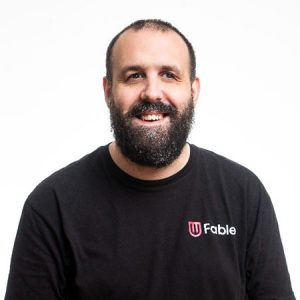
Did you know that the SUS creates biases in your research, affecting one in five people? That’s right! People with disabilities, especially those who use assistive technology, are not considered by most of the questions in the SUS. As a designer, this could lead to you making design decisions that don’t take into account 20 percent of the visitors to your website. When the SUS was invented, the author encouraged people to change it to suit different needs. In this talk, Samuel Proulx from Fable will discuss how Fable adapted the SUS to work for assistive technology users. Drawing from over five thousand hours of research and testing involving assistive technology users, we created the Accessible Usability Scale (AUS). This presentation will include trends in AUS responses since it was released in December of 2020.
Key Insights
-
•
Screen readers require highly structured and semantically correct web content to enable efficient navigation for blind users.
-
•
Screen reader users often customize speed and voice settings to consume information at 400-800 words per minute, much faster than typical speech.
-
•
Alternative navigation devices, such as head mice and switch systems, rely on precise physical control and can be hindered by environmental factors like vibrations.
-
•
Current think-aloud usability testing methods create cognitive overload for assistive technology users, as they must manage device output, researcher communication, and narration simultaneously.
-
•
Travel and physical accessibility barriers severely limit the participation of people with disabilities in traditional usability labs.
-
•
Assistive technologies are highly personalized, so standard lab setups often fail to support users’ customized configurations, reducing test validity.
-
•
Standard System Usability Scale (SUS) questions inadequately capture the unique needs and experiences of assistive technology users.
-
•
Fable’s Accessible Usability Scale (AUS) adapts SUS questions to reflect assistive technology usage, improving relevance and accuracy.
-
•
Preliminary AUS results show screen reader users rate usability lower than magnification users, reflecting the greater complexity and demands of screen reader use.
-
•
Inclusive research requires adapting methods to account for varied assistive technologies, emphasizing flexibility and one-size-does-not-fit-all approaches.
Notable Quotes
"What screen readers allow us to do is to jump directly to bits of content that we are interested in to replicate the visual experience of skimming a web page."
"Most screen reader users prefer robotic voices so they can speed up the speech and read much faster than typical people."
"Alternative navigation includes things like switch systems, voice dictation, and head mice to replace standard keyboard and mouse."
"Traveling to a research lab can take longer than the research session itself for people with physical disabilities due to specialty transit."
"Every piece of assistive technology is highly customized for the individual, so labs often fail to replicate users’ ideal setups."
"The standard SUS question about needing a technical person to use the system is frustrating because many assistive tech users are very technical themselves."
"The question who are most people is confusing when applied to assistive technology users in usability scales."
"John Rucklin said if your questionnaire isn’t relevant, you can devise your own — and that’s what we did with the Accessible Usability Scale."
"Screen reader users scored in the low to mid 50s on our scale while magnification users scored around 70 and alternative navigation users around 60."
"Inclusive design is about one size fits one, not one size fits all, especially in research methodologies."
Or choose a question:
















More Videos

"We wanted them to see the government not as an old machine, but as people who see themselves as users."
Sofía Delsordo Kassim VeraPublic Policy for Jalisco's Designers to Make Design Matter
December 8, 2021
"Curiosity and asking lots of questions helps push boundaries and improve solutions."
Product and Design at Bloomberg: A 15-year Evolution
December 6, 2022

"I want to encourage excitement about research and gradually mold people into better researchers."
Liza Pemstein Jane DavisScaling Research Via an Ops First Model at Clever
March 27, 2023

"Civic design and government design practice have reached many milestones in the past 10 years."
Kara KaneTheme One Intro
November 16, 2022

"The risk of AI is that it will over-rely on past priorities and miss new, emerging signals."
Mark Interrante Harry MaxAI for Prioritization (3rd of 3 seminars)
July 11, 2024

"Sometimes accessibility isn’t perfect, but consistency lets me shop on Amazon in my sleep because of muscle memory."
Sam ProulxOnline Shopping: Designing an Accessible Experience
October 3, 2023

"Product managers are going to have to say no to roughly 95% of everything that comes in."
Rich MironovHow Can Product Managers and UXers Help Each Other (and Why are Product Folks so Annoying Sometimes)?
December 6, 2022

"The more ideas you make, the quality of your ideas also goes up."
Juhan SoninDesign Now! The Agenda for Action
September 4, 2025

"The trust gap stems from being repeatedly failed by a system, not innate risk aversion or imposter syndrome."
Mansi GuptaDrawing from Feminist Practice to Make Inclusive Design Operational
September 9, 2022








